Expressvpn Glossary
BIOS password

What is a BIOS password?
A BIOS password is a security credential set within a computer’s Basic Input/Output System (BIOS) or Unified Extensible Firmware Interface (UEFI) firmware. It exists to prevent unauthorized users from changing low-level system settings or starting the computer without permission.
Note: The term “BIOS password” is sometimes used to refer to a UEFI password. UEFI is the modern replacement for legacy BIOS firmware, but the older term remains in common use, even when discussing UEFI-based systems, due to long-standing convention.
How does a BIOS password work?
A BIOS password works by embedding a password check directly into the firmware’s startup code and blocking execution paths until that check succeeds.
When a computer is powered on, the firmware initializes essential hardware and controls the startup process before the operating system is loaded. If a BIOS password is enabled, the firmware pauses at defined checkpoints during startup and requires authentication. The entered password is verified against a value stored in firmware-controlled non-volatile memory.
Types of BIOS passwords
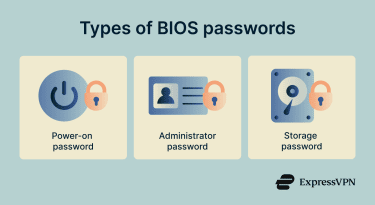
A BIOS password can be implemented at multiple points within the firmware-controlled startup and access flow:
- System or power-on password: Blocks the computer from booting until the correct password is entered. This is distinct from configuration access control.
- Setup or administrator password: Prevents unauthorized access to the firmware setup menus, while allowing normal boot to continue. May also be referred to as a supervisor password.
- Hard drive or storage password: Locks a hard drive or Non-Volatile Memory Express (NVMe) drive at the hardware level so it cannot be accessed without the correct password.
Where is it used?
BIOS passwords are commonly used in corporate environments to prevent unauthorized changes to boot settings and firmware configuration on managed laptops and desktops. They are also used on shared or public-facing systems, such as school computers, kiosks, and point-of-sale (POS) terminals, to restrict low-level system access.
In data centers, BIOS passwords help ensure servers boot only trusted configurations. Finally, individuals may also use them on portable devices alongside full disk encryption to add protection against unauthorized boot attempts.
Why is a BIOS password important?
BIOS passwords protect the earliest stage of the boot process. Key benefits include:
- Prevents boot order tampering: Blocks unauthorized changes that could allow booting from external media to bypass operating system security.
- Helps stop rogue USB booting: Requires authentication before booting, preventing attempts to load untrusted or malicious software.
- Protects Secure Boot settings: Prevents disabling Secure Boot, which enforces bootloader verification and helps block rootkits.
- Adds a barrier against casual theft: Increases the time and effort required to access a system, deterring opportunistic attackers.
- Supports enterprise hardening policies: Enforces firmware-level controls required by organizational security baselines.
Risks and privacy concerns
If not managed properly, BIOS passwords can lock out legitimate users if the password is lost or forgotten, often requiring manufacturer-specific recovery procedures or hardware intervention that may cause downtime or data loss.
They also provide limited protection against attackers with physical access or advanced tools and offer no user-level auditing or visibility into access attempts. In organizational settings, shared or undocumented BIOS passwords can create usability and operational risks.
Further reading
- Password hashing explained: What it is and how it works
- Take these tests to verify your password security
- Diceware passwords: Create secure and memorable passphrases
- What is a password manager and why should you use one
FAQ
What’s the difference between BIOS and UEFI passwords?
Can a BIOS password protect my files?
What happens if I forget my BIOS password?
Is clearing CMOS always enough to remove it?
Additionally, the password is often cryptographically tied to the boot process, so clearing CMOS alone won’t remove it and may risk rendering the device unusable.